

Healthcare IT teams face a tricky balancing act. Clinical staff need fast access to systems and applications to treat patients. Doctors can’t wait around for approval workflows when someone’s having a heart attack. At the same time, healthcare organizations are major targets for ransomware and data theft.
Recent attacks show the scale of the problem. McLaren Health Care lost over 743,000 patient records to ransomware, while Kettering Health suffered an Interlock ransomware attack that leaked patient data. Breaches like these carry massive financial penalties, reputational damage, and potential harm to patients whose information gets exposed.
Managing privileged access properly helps reduce attack surface while keeping clinical operations running smoothly. Getting it wrong means either security vulnerabilities or operational bottlenecks that interfere with patient care.
Why Healthcare Is Different
Healthcare environments create unique access challenges that traditional IT security struggles to address. Nurses move between workstations throughout their shifts, physicians access systems across multiple departments, and medical device technicians need elevated permissions to maintain critical equipment. Many of these staff work nights and weekends when IT support isn’t available. A single computer at a nursing station might be used by ten different nurses over 24 hours, making it impossible to assign device-specific access policies.
Third-party vendors show up for equipment repairs on irregular schedules and need temporary system access. CT scanners need servicing, ultrasound machines require software updates, and this maintenance often happens during off-hours when equipment fails unexpectedly. Corporate environments can make users submit tickets and wait for approval, but healthcare operations can’t afford those delays when they affect patient care.
HIPAA Requirements for Access Control
HIPAA’s Security Rule mandates specific technical safeguards for protecting electronic protected health information (ePHI). Organizations must implement:
- Unique user identification
- Emergency access procedures
- Automatic logoff
- Encryption and decryption
The regulation requires least privilege access. Users should only have the minimum permissions necessary to perform their jobs. Permanent admin rights violate this principle by granting system-wide access that most healthcare workers don’t need.
HIPAA also mandates recording and examining information system activity. When users have permanent admin rights, every action happens under elevated privileges. This makes audit logs less useful for detecting actual security threats. You need detailed records showing who accessed what, when they accessed it, and what they did with those elevated permissions. Generic admin activity logs don’t provide the granularity required for HIPAA compliance audits or security incident investigations.
Medical Devices and Legacy Systems
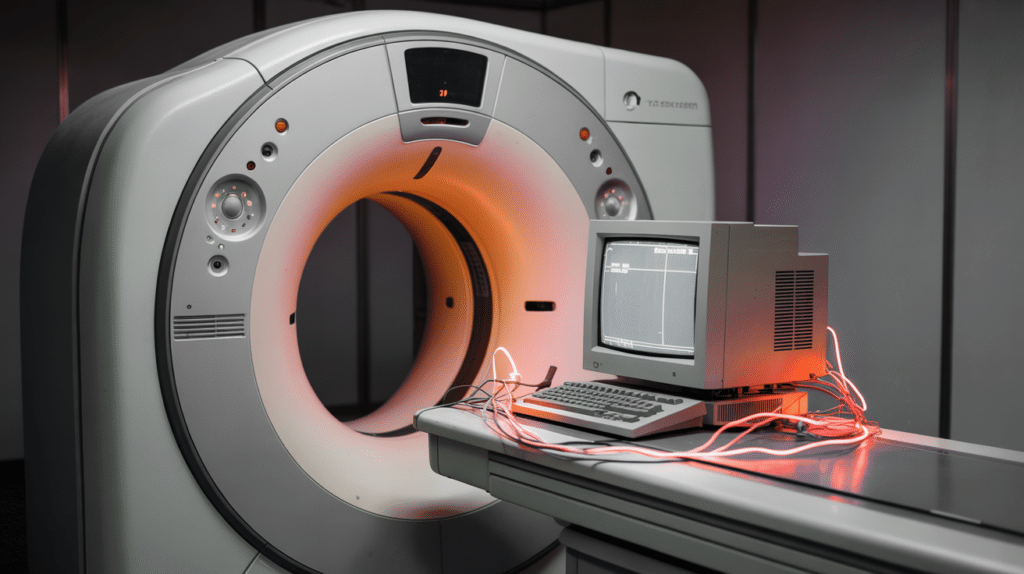
Medical devices create specific privilege management problems. Research shows that 83% of medical IoT devices run on unsupported operating systems. Many medical imaging devices still run on Windows 7 or Windows XP, even though Microsoft ended support for both operating systems years ago.
These devices can’t be easily updated. Manufacturers must validate all software changes to ensure they don’t affect device safety or effectiveness. Healthcare organizations face a difficult choice: apply unvalidated patches and potentially void warranties, or leave devices running on vulnerable operating systems.
Applying unvalidated patches can shift liability from the manufacturer to the hospital. Warranty agreements often state that unauthorized modifications void coverage. The FDA requires manufacturers to validate software changes, but validation takes time that healthcare organizations don’t always have when critical vulnerabilities are discovered.
Medical devices often require local admin access to function. The software needs to communicate with hardware, write to system directories, and modify configurations. Isolating these systems on separate network segments helps, but technicians still need elevated access for maintenance. You can’t apply standard workstation policies to a machine running life-support equipment or diagnostic imaging systems.
Third-Party Vendor Access Challenges
Third-party vendors present one of the trickiest access management problems in healthcare. These external technicians need elevated permissions to service medical equipment, but they shouldn’t have permanent access to your systems. The vendor servicing your MRI machines today might not be back for six months, yet during that service call they need deep system access to update firmware, install drivers, and troubleshoot hardware issues.
Traditional solutions don’t work well here. Creating permanent vendor accounts means maintaining credentials for people who rarely use them, increasing your attack surface. VPN access for vendors means opening network pathways that bypass your normal security controls. Requiring IT staff to supervise every vendor service call ties up resources that healthcare organizations can’t spare.
The timing makes this worse. Medical equipment failures don’t follow business hours. When a critical diagnostic machine goes down at 2 AM, you need the vendor to fix it immediately, not wait until Monday morning when your IT security team can set up temporary access.
Different User Groups Need Different Policies
Healthcare organizations can’t use a one-size-fits-all approach to privilege management. Different roles require different access levels:
Physicians might need to install medical software, update diagnostic tools, or configure workstations for specific procedures. These tasks require elevated permissions, but physicians don’t need permanent admin rights to the entire system. Just-in-time access lets them perform clinical tasks without creating permanent security holes.
Nurses typically need less elevation than physicians. They might need to install printer drivers, update patient monitoring software, or configure peripheral devices. These are routine tasks that shouldn’t require IT intervention, but they don’t justify permanent admin rights.
IT administrators need broader permissions, but even they shouldn’t operate with permanent admin rights for day-to-day work. The principle of least privilege applies to IT staff too. They should elevate privileges only when performing administrative tasks, not when reading email or browsing documentation.
Medical device technicians occupy a middle ground. They need elevated access to maintain specific equipment, but that access should be limited to the systems they’re responsible for maintaining. A technician working on imaging equipment doesn’t need access to pharmacy systems or electronic health records.

Audit Requirements and Accountability
HIPAA compliance requires detailed audit trails of all access to protected health information. When multiple users share admin credentials or have permanent admin rights, audit logs become useless for determining who did what. You need to know which specific person requested elevation, what application or task they elevated, when the elevation occurred, and how long it lasted.
Session recording adds another layer of accountability for high-risk activities. Recording what happens during remote access sessions or vendor service calls creates a complete visual record that proves helpful during security investigations or compliance audits.
Healthcare organizations need privilege management that maintains detailed logs without creating administrative overhead. Manually reviewing every elevation request slows down operations. Automated approval for pre-vetted applications combined with detailed logging for everything else strikes a better balance.
Finding the Right Balance
Healthcare privilege management requires finding solutions that accommodate clinical realities while maintaining security and compliance. Just-in-time privilege elevation, application-specific permissions, and automated approval for trusted software help reduce attack surface without creating operational bottlenecks.
Admin By Request’s EPM solution provides time-limited Admin Sessions, Run As Admin mode for individual applications, and pre-approval rules for vetted software. Our Secure Remote Access solution handles vendor access through browser-based connections that require approval, terminate automatically, and log all activity.
Want to see how it works in a healthcare setting? Book a demo or try our lifetime free plan for up to 25 endpoints.